
PEOPLE, TIME & PAYROLL
eWorktime
Less paperwork. More time for your people.
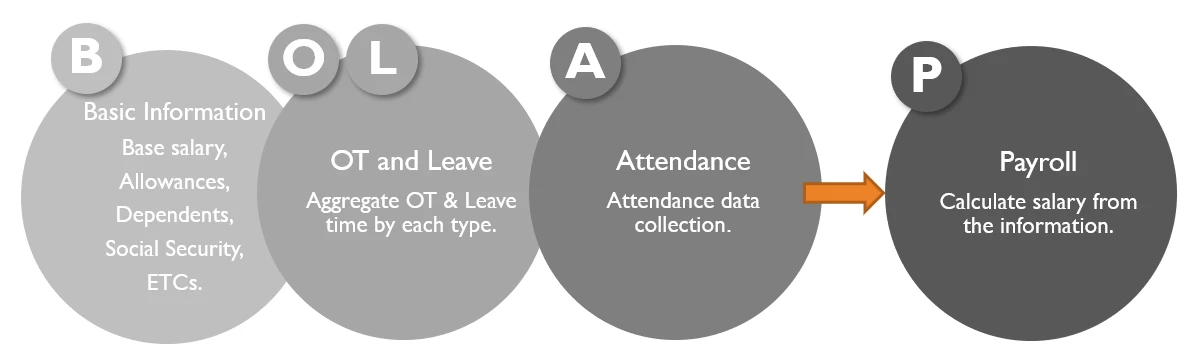
Connect attendance, overtime, leave and payroll in one online workflow. Help your HR team work with information that stays together.
- 01–10
- Approver levels
- 100 + 100
- Income and deduction items
- iOS · Android · Web
- Access across devices
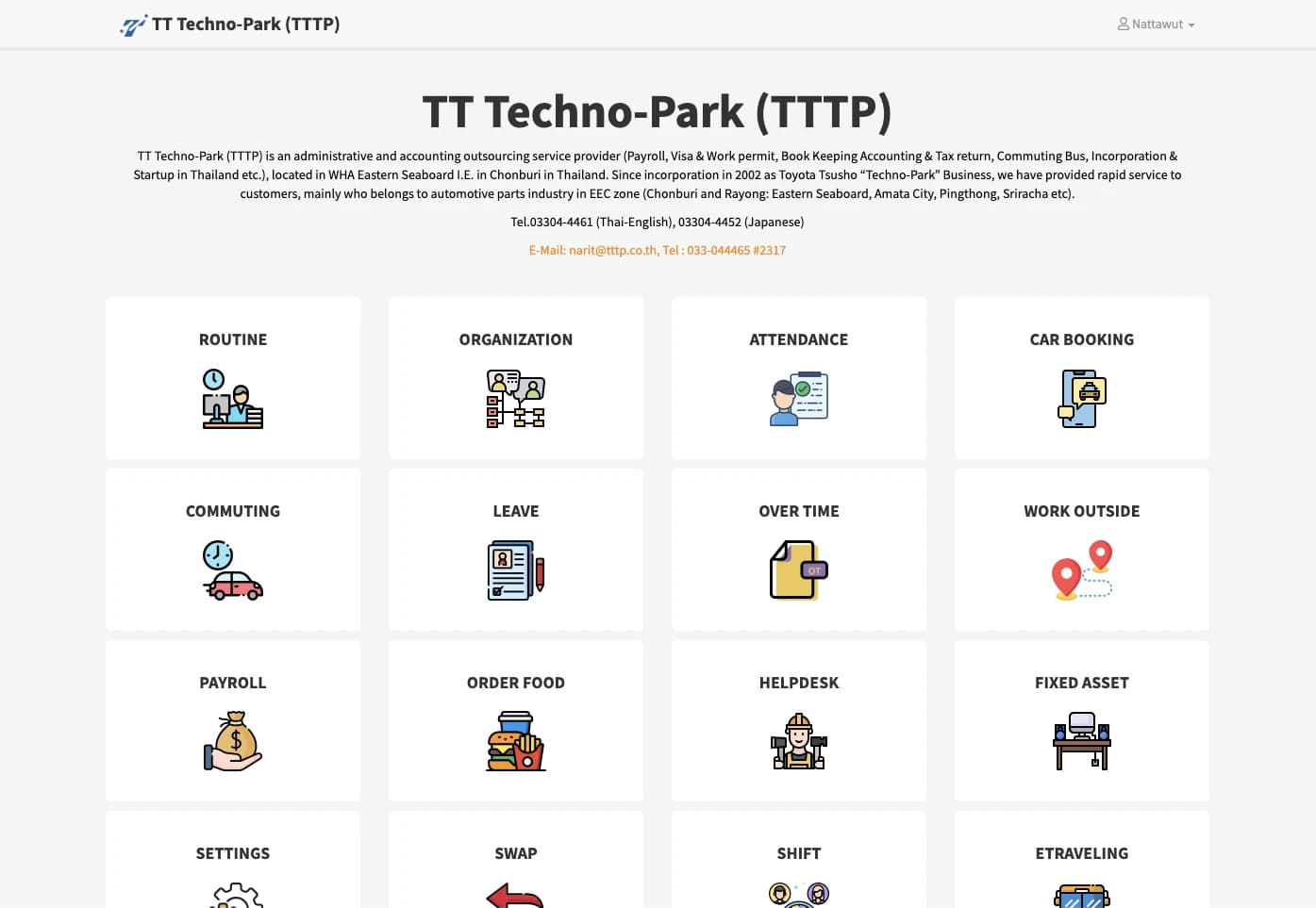
Bring attendance information into a central workflow, including data from face-recognition devices.
01 / CONNECTED PAYROLL
Bring your payroll data together.
eWorktime is an online payroll system for systematic data collection, connecting attendance, overtime, leave and salary information. It helps reduce workflow steps, labor time and manual data handling while supporting the controlled use of confidential salary information.
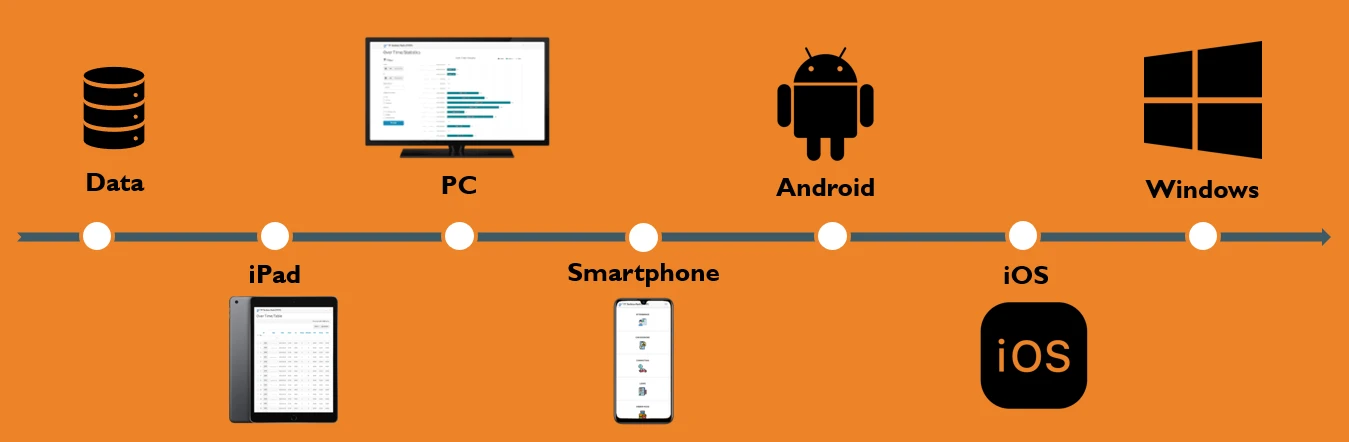
Work across smartphones, tablets, iPads, PCs and laptops, with support for multiple languages and operating systems including iOS, Android, Windows, macOS and Linux. Internet access connects users to real-time data transmission.
- 01
Record attendance
Bring attendance information into a central workflow, including data from face-recognition devices.
- 02
Review and approve
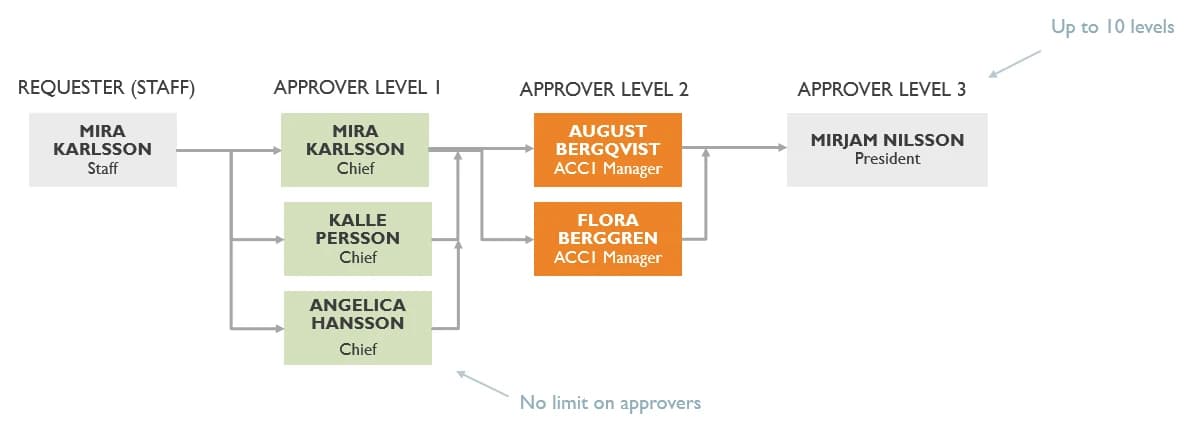
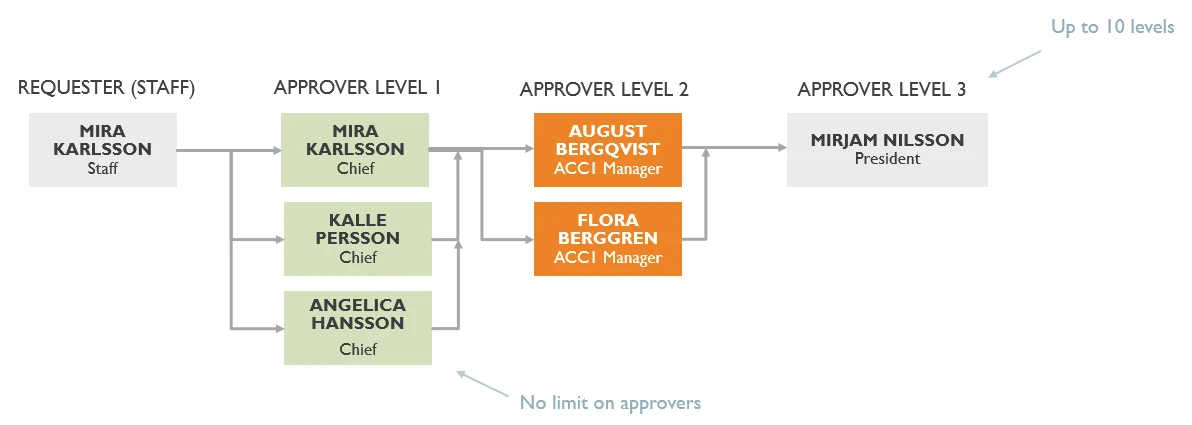
Set access permissions and configure approval workflows with up to 10 levels of approvers.
- 03
Prepare payroll
Manage salary, overtime, income, deductions and shifts with automatic summaries.
- Connected administration
- Payroll information supports coordination with government agencies, banks and related organizations.
- Available across locations
- The original introduction describes 24-hour access to all modules through an internet connection.
- Data management
- The original feature list includes daily automatic database backups, data access rights and security measures.
Access across devices
Work from a smartphone, tablet or computer with an internet connection and multilingual support.
02 / PERMISSIONS & APPROVALS
The right information, at each level.
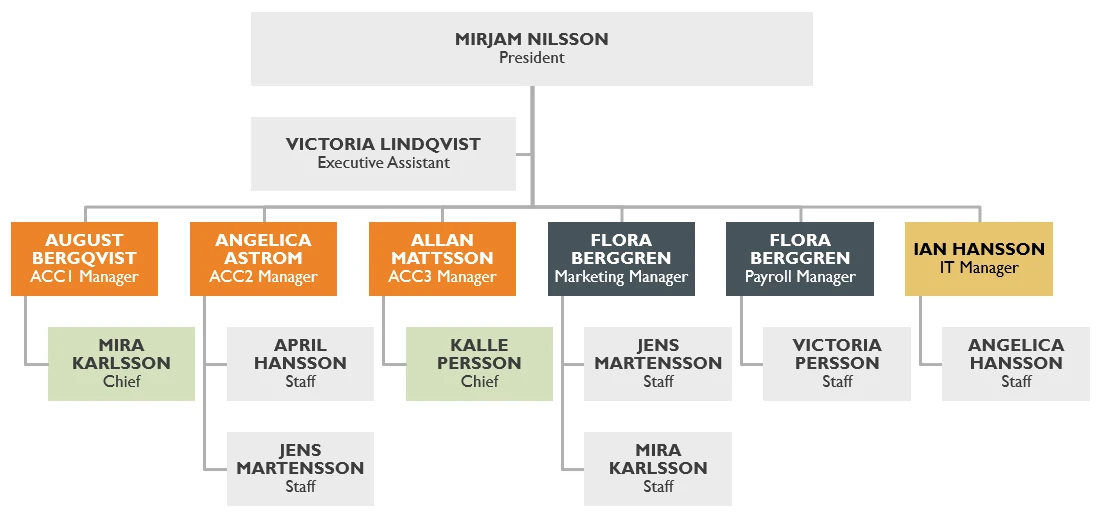
Assign access permissions for each level of the organization and configure up to 10 levels of approvers. Automatic notifications inform approvers about requests and notify users about missed check-ins.
Up to 10 approver levels
Configure permission structures across organizational levels.
Automatic notifications
Alert designated approvers automatically as requests move forward.
- 01Request submitted
Attendance, overtime or leave request
- 02Permission check
Scoped to organizational level
- 03Sequential approval (up to 10 levels)
Designated approvers notified automatically
- 04Ready for payroll
Approved records carry forward into summaries
03 / ATTENDANCE & PAYROLL
From the first scan to the daily summary.
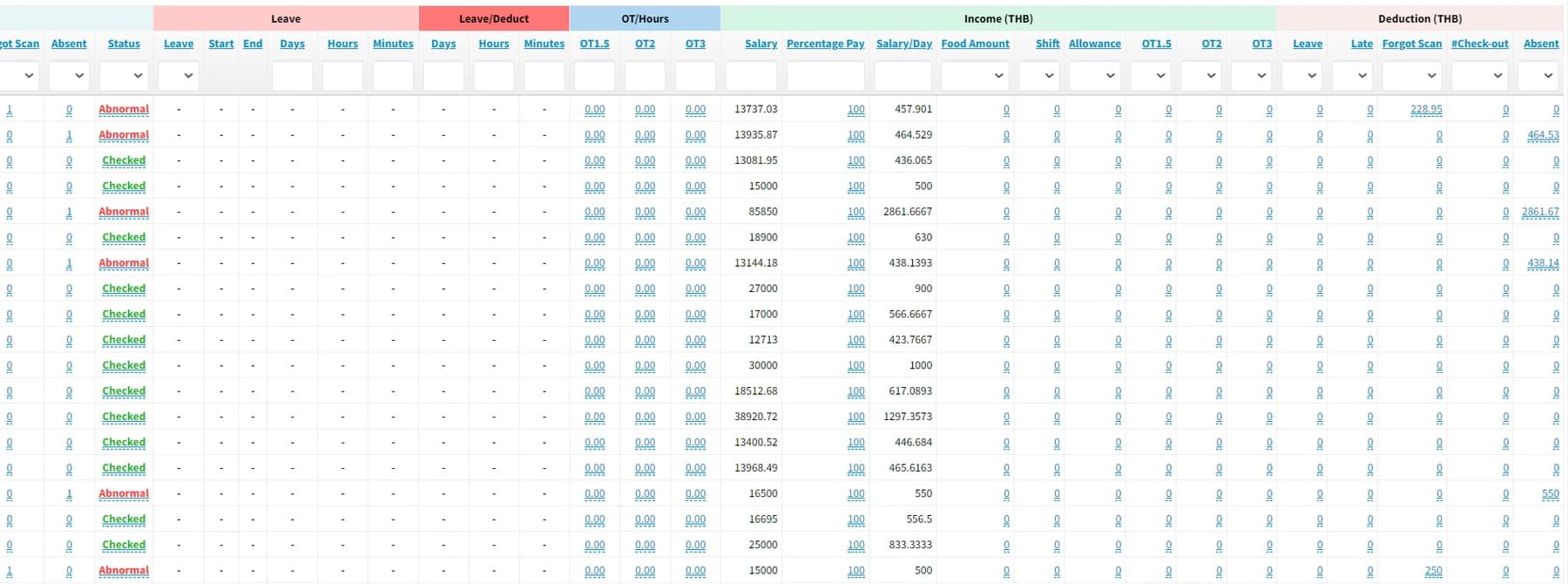
Every attendance check, shift rule, allowance and deduction feeds cleanly into monthly payroll preparation.
- 100 + 100
- Income and deduction items
- 0–100%
- Attendance and OT rate settings
- 01
Automatic attendance import
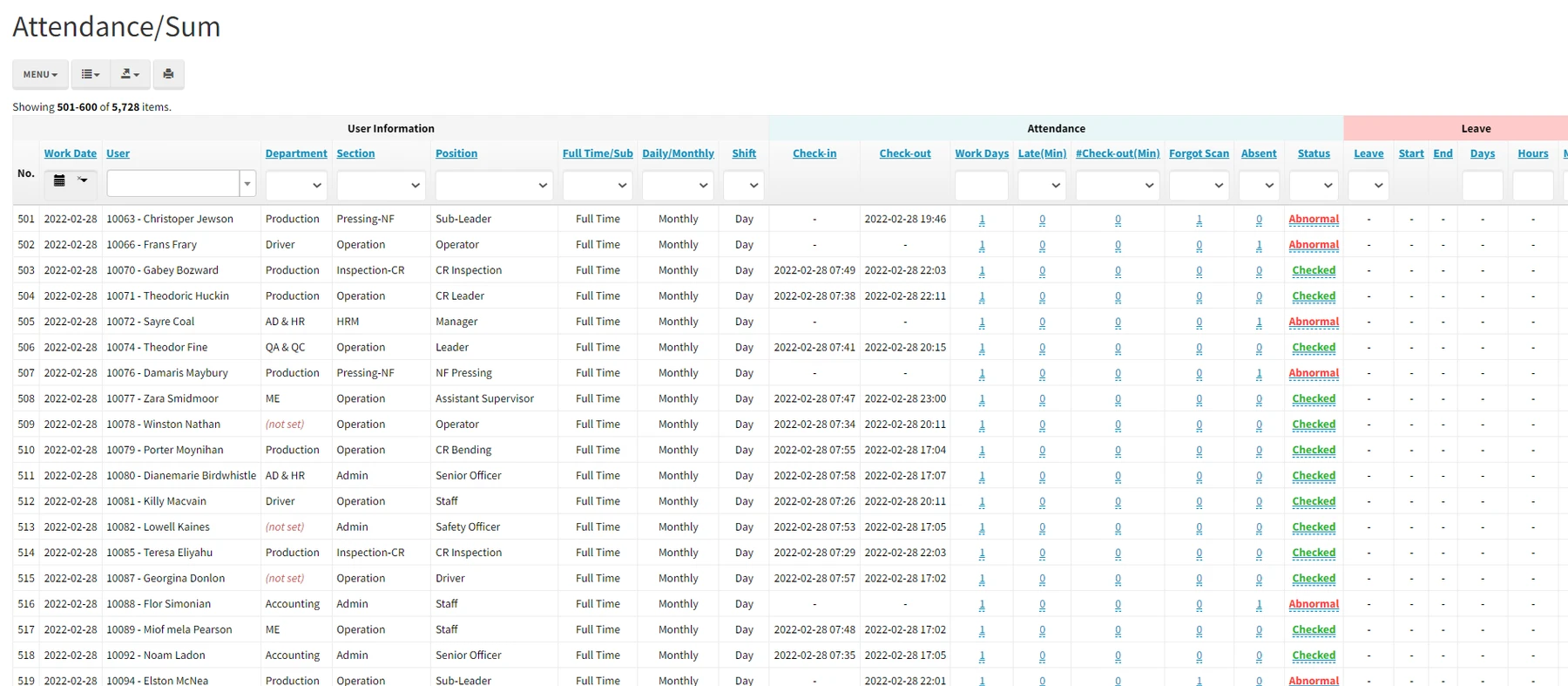
Extract attendance data from face-recognition devices and summarize it in real time.
- 02
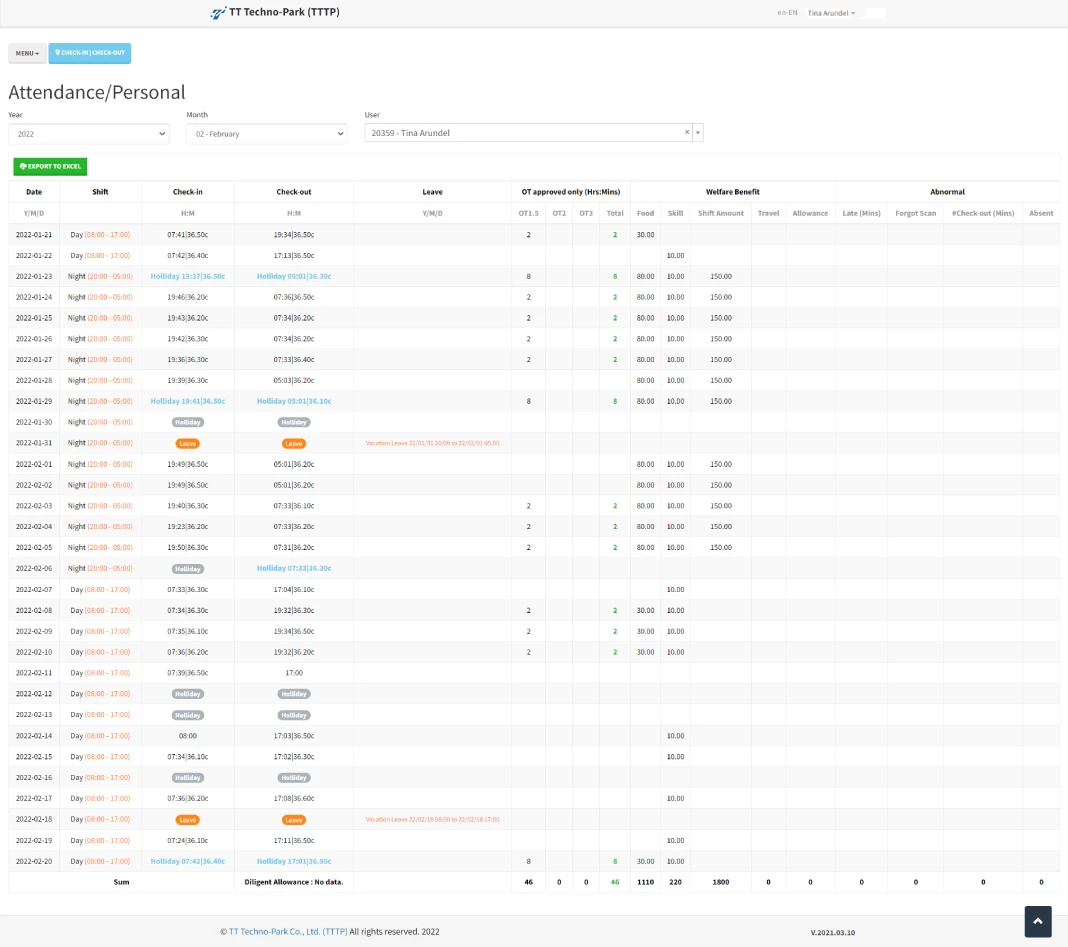
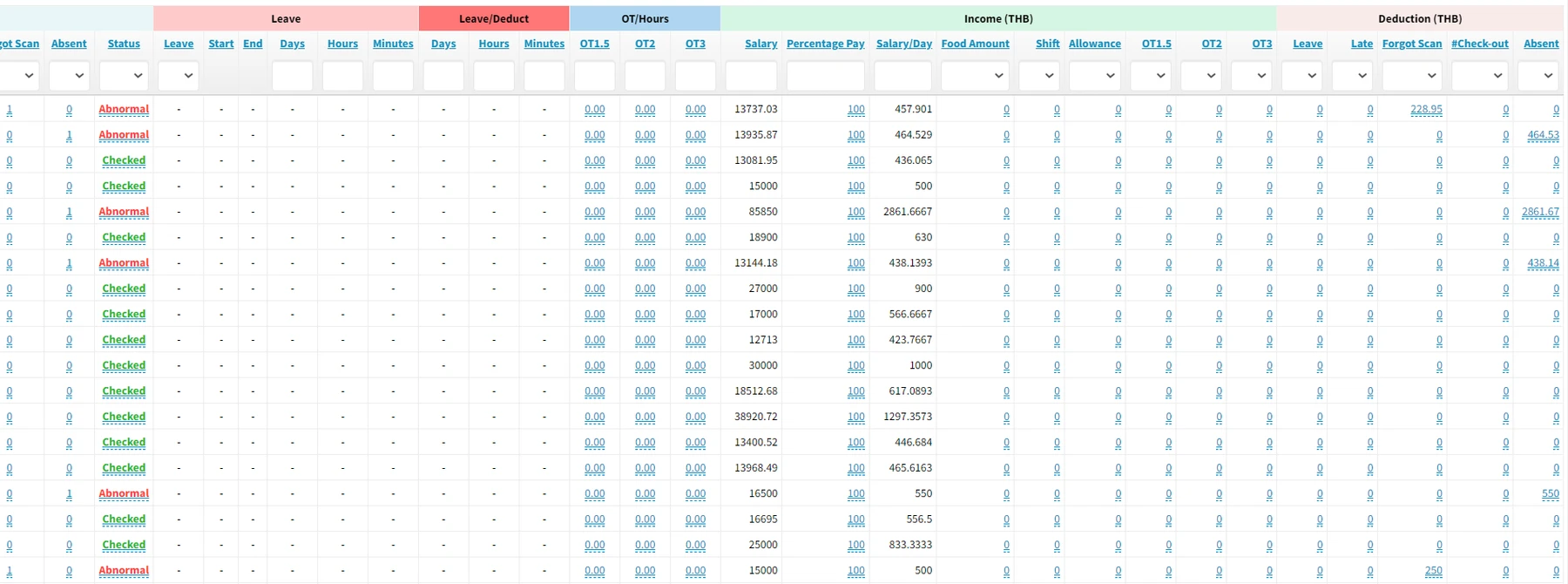
Benefits & attendance calculations
Automatically calculate benefits, overtime, attendance, absence, leave and late arrivals, including monetary calculations for leave, absence, late arrival and missed scans.
- 03
Daily reporting
Attendance reports and automatic daily summaries; daily salary rates can be set from 0–100%, with daily salary adjustments.
- 04
Exception checks
Check irregular attendance times and missed scans.
- 05
Income & deductions
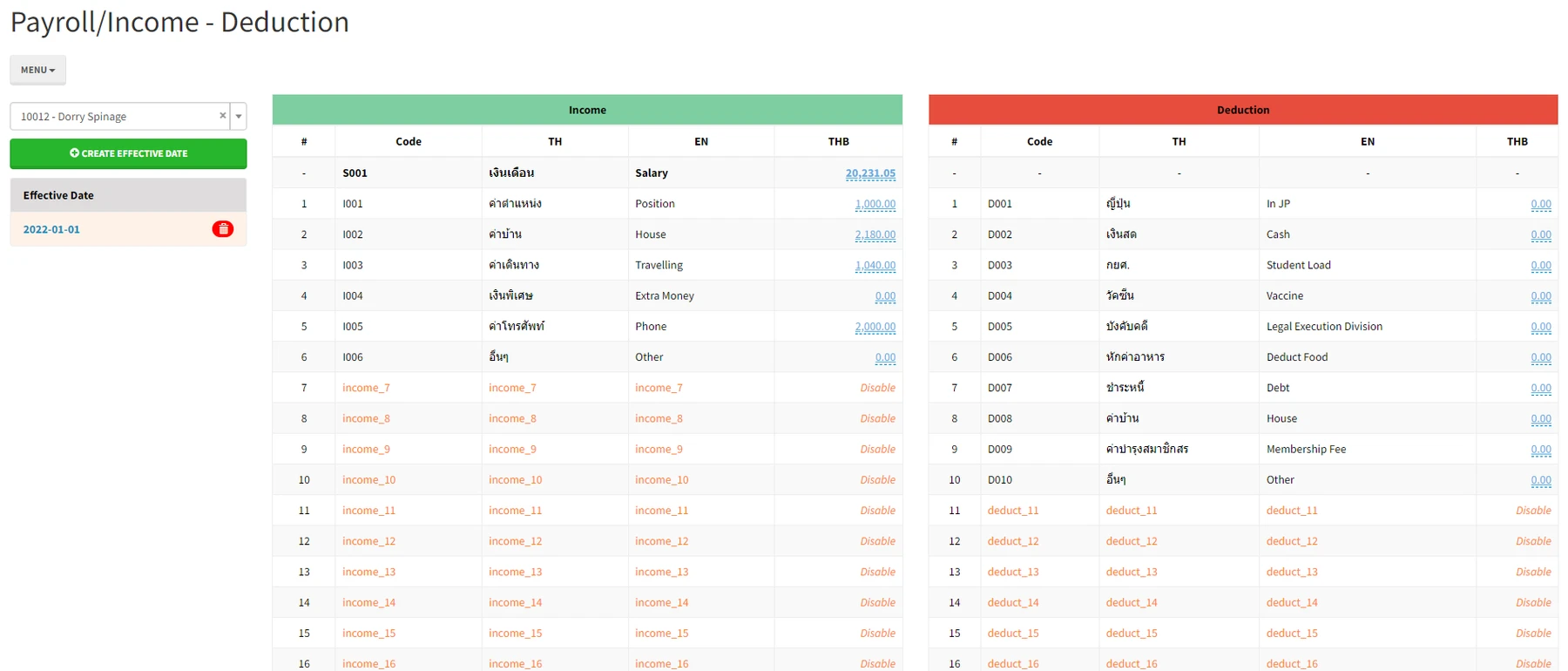
Configure up to 100 income items and up to 100 deduction items.
- 06
Shift settings
Add unlimited shifts to support different working schedules.
- 07
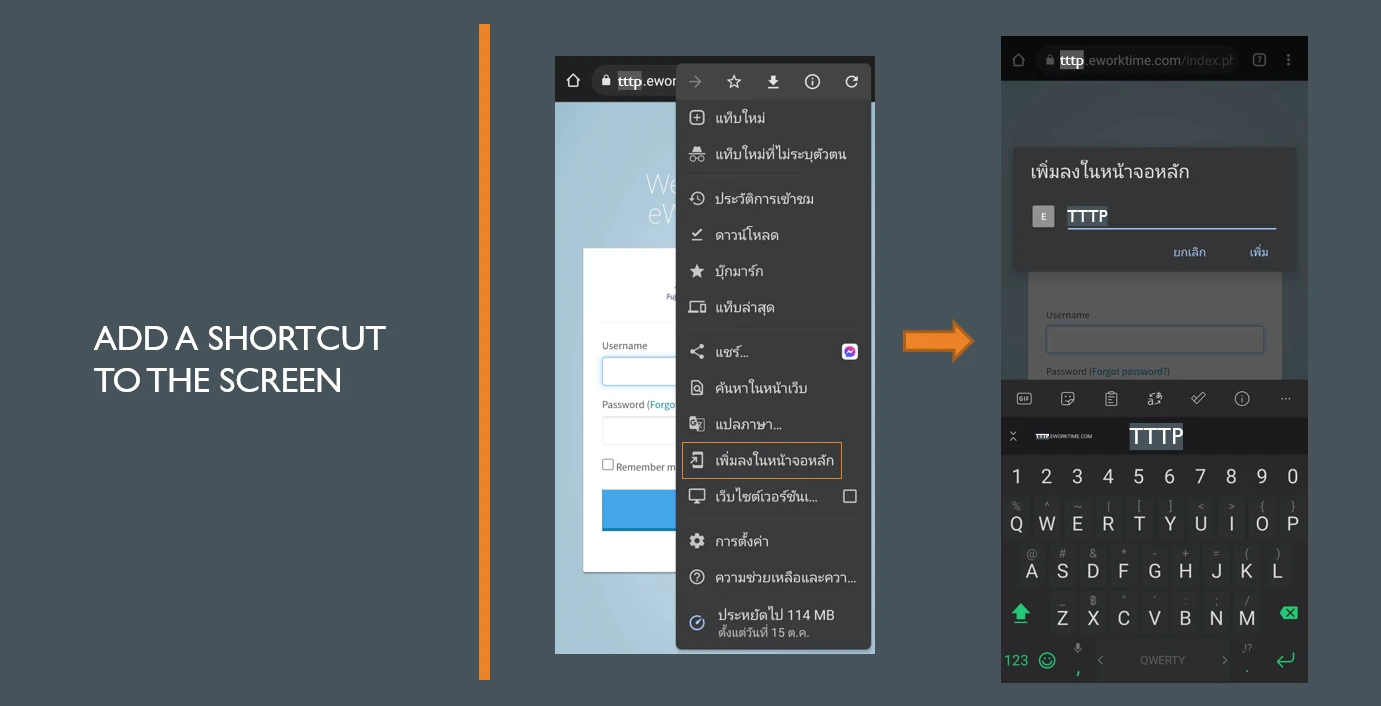
Home-screen access
Add a shortcut to the device screen for direct access to eWorktime.
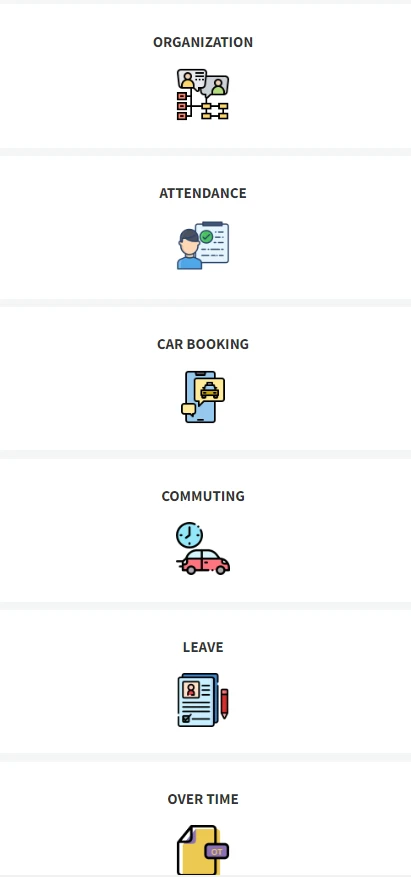
Application screens
Select any interface preview to inspect it in full size.
More attendance & payroll screens

LET’S MOVE FORWARD